

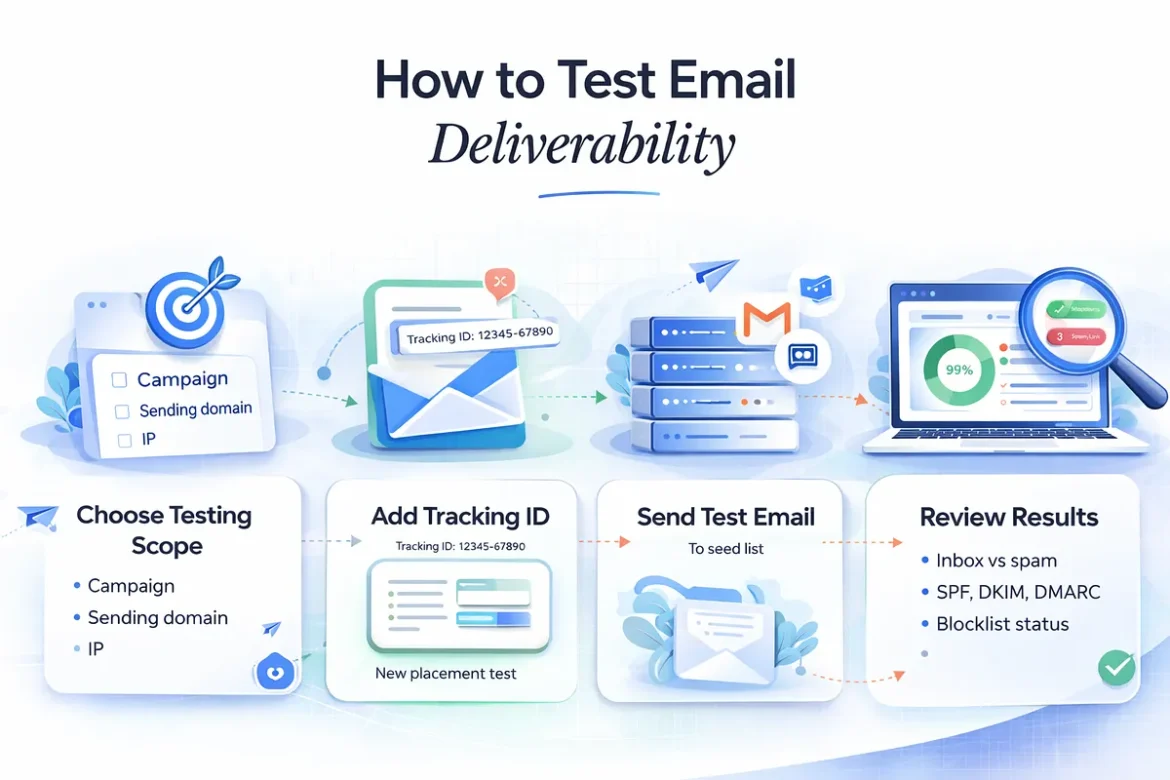
Testing email deliverability sounds simple. Send a test. Check a tool. Look at the score. Done, right? Not quite.
Do you know whether your testing setup actually reflects real-world filtering?
- Are seed results reliable for high-volume senders?
- Does a spam score mean anything if placement still looks fine?
- If Gmail lands you in Promotions but Outlook hits spam, where’s the real issue?
- How do you connect authentication, reputation, and content signals into one clear diagnosis?
Most teams end up juggling fragmented tools, one for inbox placement, another for SPF/DKIM checks, another for reputation monitoring, without a clear framework for interpreting results.
That’s where mistakes happen.
This post breaks down how to test email deliverability properly in 2026. You’ll learn what to test, how to structure your tests, how to interpret conflicting signals, and how to prioritize fixes across infrastructure, behavior, and content.
What is email deliverability?
Email deliverability refers to whether your email reaches the recipient’s inbox, promotions tab, or spam folder after it has been accepted by the receiving server. It is measured by inbox placement rate across email service providers such as Gmail, Outlook, and Yahoo.
Deliverability is different from delivery. Delivery confirms that the receiving server accepted the message. Deliverability determines where the message is placed inside the mailbox.
And the gap matters because nearly one in six permission-based marketing emails fail to reach the inbox.
A strong deliverability rate means consistently high inbox placement across major providers, minimal spam filtering, and no active blocklist issues.
Why test email deliverability?
Your email service provider does not show full inbox placement visibility. A campaign marked as delivered may still land in spam or promotions across different providers.
Free or shared IPs, misconfigured authentication, or inconsistent sending patterns can quietly reduce inbox placement. Without testing, these issues remain hidden.
Deliverability testing helps:
- Identify inbox vs spam placement across providers
- Detect authentication issues (SPF, DKIM, DMARC)
- Uncover spam score risks before sending
- Monitor domain or IP reputation problems
- Catch blocklist exposure early
Testing reveals where emails actually land and what needs correction. Without it, revenue loss from spam placement or filtering often goes unnoticed.
How to test email deliverability: step-by-step process…
Read The Full Article at Mailora